
Step 5: Initiating the ClearStar Background Check and Initiating Onboarding
Description
• This job aid will walk you through initiating the ClearStar background check and onboarding initiation for your candidates
Process
• The background check process has been changed; the candidate will no longer fill out an FCRA as part of the application, and the background check process will be initiated from the requisition in the Background Check status
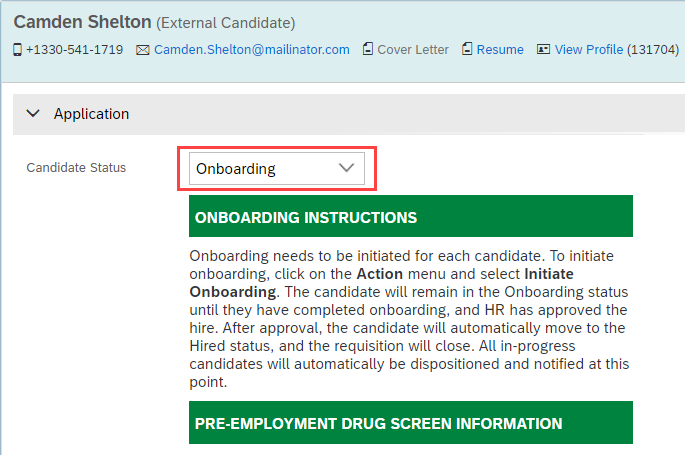
• You will NOT wait for the results of the background check before moving the candidate into Onboarding
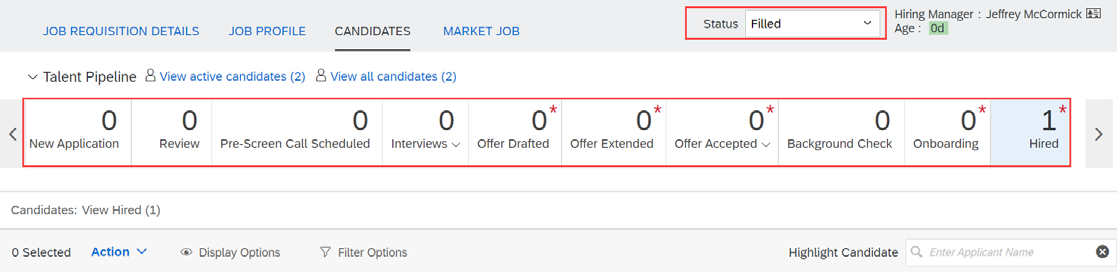
• You can only onboard and hire ONE candidate per requisition; this is very important because the requisition will automatically close and disposition all remaining candidates when your 1 hire is approved.
• Please contact the recruiting team to talk about evergreen requisitions if you have a multiple hire situation
Help & Support
• If you need additional help with the recruiting process, please reach out to the recruiting team at recruiting@davey.com.
| Step | Action | Screenshot |
| 1 | Prior to this point, your candidate cleared the drug test and was moved into the status Background Check | 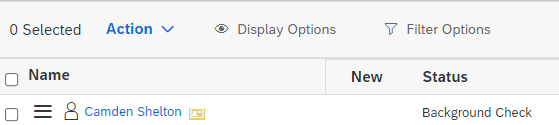 |
| 2 | Click on the candidate’s name to open their application | 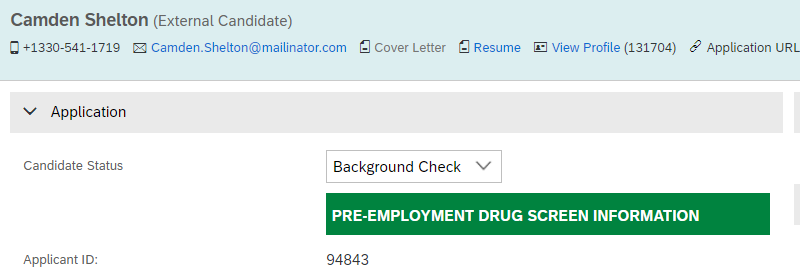 |
| 3 | On the right side of the blue bar, Click Take Action > Initiate Background Check | 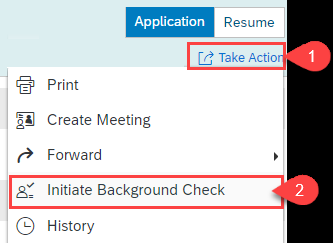 |
| 4 |
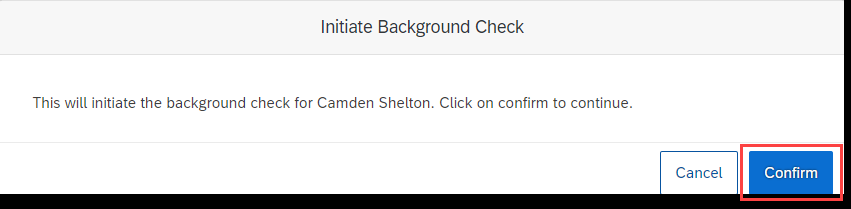
In the Initiate Background Check pop-up box, click the Confirm button
|
 |
| 5 |
When you receive the green success banner on the screen, click the Cancel button
|
 |
| 6 |
You will not wait for the results of the background check to return
|
 |
| 7 |
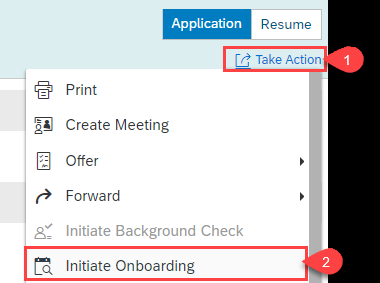
When you are ready to move the candidate into onboarding, click Take Action > Initiate Onboarding on the right side of the blue bar
|
 |
| 8 |
Leave your candidate in Onboarding status; they will be automatically moved to the Hired status after the following happens:
|
|
| 9 |
When the candidate is moved to Hired status by the system, the following happens automatically:
|
 |
Comments
0 comments
Please sign in to leave a comment.